Sunday, November 29, 2009

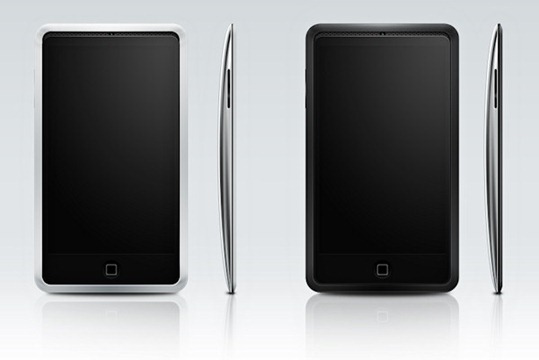
Next Generation iPhone 4G Spotted in the Wild

While consulting a PinchMedia Analytics report, Pandav, the developer of iBart (a public transportation guide for the San Francisco train system) had a very pleasant surprise to learn today which he then reported to MacRumors, suggesting that his app has been installed and used on a device that identifies itself as “iPhone 3,1″. It may be noted that exactly in the same time frame last year, Apple was discovered testing its iPhone 3GS (which is identified as “iPhone 2,1”) in the San Francisco Bay area. Infact by calculations, it can be concluded that if the next generation phone is to be launched in the traditional summer time frame, then it is about time for Apple to conduct wild field tests for the upcoming iPhone.

iPhone 4G

For those of you who don’t know, PinchMedia monitors and provides the analytics for various application as per customer usage including what specific devices are using these applications. This list of devices is then reported to app developers with internal device identification numbers that has been assigned by Apple. Here in this particular case, "iPhone3,1" was spotted while going through Pandav’s app usage logs for the month of November. The last iPhone released by Apple was iPhone 3GS which carried the identification number as "iPhone 2,1". So this new gadget circulating in San Francisco Bay area with identification number of “iPhone 3,1” is nothing, but the next generation of iPhone, likely to be labeled as “iPhone 4G”.

These early rumors are suggesting a significantly advanced upgrade on the hardware side for iPhone 4G with multi-core enhanced speed processor better than or at least equal to that of 1Ghz Snapdragon which ships in both, HTC HD2 and Xperia X10. We have previously noticed that since there was not a big hardware upgrade in 3G from 2G, therefore the identification code carried a point difference in hardware code; 2G was 1,1 whereas 3G was 1,2. Hardware upgrade in 3GS was major using a different processor ARM Cortex A8 based unit altogether, while Samsung being still the supplier. The new processor provided a massive jump in speed gains to iPhone 3GS. Hence, its identity was changed as 2,1. This time, the major change detected in the identification no. being 3,1 is a definite indicator of a major upgrade in hardware which certainly will include a high speed processor. Some are envisaging significant upgrade from the iPhone 3GS with a processor from PA Semi. Apple bought PA Semi processors two years ago, perhaps with an aim to be used as system-on-chips for next generation iPhone and iPod touch.

Let’s wait and see what happens when iPhone 4G comes out in summer 2010 with a faster processor, hopefully with atleast 5 MP camera, support for multi-tasking (perhaps?) and other improved functions.

Tuesday, November 24, 2009

Finally Security for your Iphone

On a day where we’re already talking about suring up our iPhone passwords, it seems fitting to also mention an impressive new security application available to jailbreak users. Firewall IP is a relatively new app – available in the Cydia store for $1.99 – that provides just what you’d expect given its name, i.e. a firewall monitoring outbound connections on the iPhone.

I’ve been testing the app out a bit and I like it. It does just what it says on the box, and quite effectively. It even does its job relatively unobtrusively – or at least as much as any firewall can do in that respect.

Here’s a slice of the app’s description in the Cydia store:

Firewall IP allows you to block outgoing connections (TCP and UDP). It hooks into applications from App Store and Cydia. Firewall IP will warn you if the app wants to establish a connection to a host and shows you the hostname. Then you have the options to allow/deny all connections for the application.

You can decide if the application will send data. Developers will no longer be able to collect stats about you (UDID, phone number, usage statistics) or even collect personal data. …

I’m not so sure how far I agree with that last sentence – as you may well find that if you refuse an app’s connection attempts to an analytics provider (or other required connection) that it ‘breaks’ the app and forces you to choose to live with where it connects to or not use it.

Having said that, this is an extremely useful app no matter which way you slice it.

When you first install Firewall IP, here’s how you set it up: do nothing. Just start firing up your apps that you know connect to the web (which may be nearly all of them as so many games use global scoreboards and such) – and Firewall IP will launch itself and give you a dialog across roughly the top third of the screen with your choices on what to do about an outbound connection an app is trying to make.

So for example, when we launch any Twitter app we’ll see the screen shown in the screencap at the top of this post. The screen lets me know that the app I just launched wants to connect to the twitter.com site, on port 443 (for an https connection). Twitter apps are actually a good example, because they want to connect to multiple sites in addition to twitter.com – for instance some of the popular Twitter image hosting sites and URL shortening services. Firewall IP is on the case for these as well – and will pop up with alerts for those as soon as any connections are invoked within the Twitter client app:

Firewall IP for iPhone

As you can see above, once Firewall IP’s alert screen comes up, you have a full set of choices just as you do when setting firewall rules for applications on a basic desktop firewall. You can choose to allow or deny connections on a one-time basis, or to always allow or deny. Or you can even choose to always allow or deny all connections for this particular app.

It’s fun watching Firewall IP get to know your apps as you launch them, and to see it pick up their various connection efforts. Like connections to ad networks …

iPhone firewall app

And analytics providers …

firewall app on the iPhone

And even to NASA if you happen to launch the NASA app. That’s one I may save for when out with friends, so I can say ‘hold up a minute – I’m connecting to NASA right now’ and show ‘em the screen. :)

iPhone firewall app

You can open Firewall IP and see the list of all the apps it knows about so far …

EditRules

And easily edit rules for individual apps from there …

Rules

As I said near the top, Firewall IP does its job about as unobtrusively as any firewall app can. Once it knows about an app, and ALL of its outbound connections, it will be quiet and leave you alone whenever you’re working with that app. New app, and new connections within known apps, will continue to generate alerts – so the length of ‘settling in’ time for Firewall IP will vary according to how many apps you have.

Oh, and the app has an On/Off toggle in SBSettings – so it is super easy to manage it. My thought is that now that it has looked at most of my apps I’ll keep it shut down generally, and fire it up only when I have just added apps.

SBToggle

I’ve had almost no issues with Firewall IP. The only one I saw with just a couple of apps was that it would slow down an app’s launch significantly, or even hang it up, while trying to suss out its connections. This happened with Sportacular for example – but it resolved itself and eventually brought up the alert dialog after a couple of attempts.

I did not notice any major battery or resource strain when running Firewall IP, and it never showed up in Kirikae of Free Memory as a running process – but I’ve only been testing it for a short while so far.

This is a definite keeper app for me – as I think it’s both useful and fascinating to see where apps want to connect out to. I can’t imagine too many people will want to run it continuously, but with the ability to toggle it on/off via SBSettings it’s a winner for me.

Monday, November 23, 2009

New iPhone worm can act like botnet say experts


A second worm to hit the iPhone has been unearthed by security company F-Secure.

It is specifically targeting people in the Netherlands who are using their iPhones for internet banking with Dutch online bank ING.

It redirects the bank's customers to a lookalike site with a log-in screen.

The worm attacks "jail-broken" phones - a modification which enables the user to run non-Apple approved software on their handset.

The handsets at risk also have SSH (secure shell) installed.

Many people use SSH so other programs can remotely connect to an iPhone and, among other things, transfer files. It comes with a default password, "alpine" which should be changed.

Only users who have installed SSH and not changed the password are at risk.

The new worm is more serious than the first because it can behave like a botnet, warns F-Secure.

This enables the phone to be accessed or controlled remotely without the permission of its owner.

'Clearly malicious'

"It's the second iPhone worm ever and the first that's clearly malicious - there's a clear financial motive behind it," F-Secure research director Mikko Hypponen told the BBC.

"It's fairly isolated and specific to Netherlands but it is capable of spreading."

He added although the number of infected phones was thought to be in the hundreds rather than thousands, the worm could jump from phone to phone among owners using the same wi-fi hotspot.

A spokesperson for ING Bank said that a warning was going to be put on the bank's official website.

"We are also briefing call centre personnel," she added. "It's important to remember that the worm only affects jail-broken phones and it is only aimed at customers in the Netherlands."

The first iPhone worm, called ikee, was harmless. Users with infected phones found their wallpaper replaced with a picture of 1980s popstar Rick Astley.

It also targeted jail-broken phones which were SSH enabled.

Its creator Ashley Towns said he wrote the ikee program in order to raise the issue of iPhone security.

Sunday, November 22, 2009

Google Wave App hits the App Store. But Not made by Google?

Most people would assume that an iPhone app called simply 'Google Wave' would be an official Google Wave app made by Google.

Think again. The app (App Store link) is the work of an indie developer called CLapps, who points out in its official description that "I have no connection with Google or Google Wave but just supply a means by which to use it on your iPhone".

We sense Google's lawyers may have something to say about that, not to mention some questions for Apple about how an unofficial app with the same name as its high-profile new service was approved for distribution on the App Store.You can't imagine an app called Apple iTunes sneaking through, after all...That's not to say the app itself isn't interesting - it looks like a neat way to access Google's online collaboration service on the go. Here's the story:


Do a search for Google Wave on the App Store from your iPhone or desktop client, and you’ll see an application called just that pop up, ready to be installed as soon as you fork over $0.99 . One thing to point out: it’s not built, authorized or in any way endorsed by Google. Spotted by Stuart Dredge over at Mobile Entertainment, the unofficial Google Wave iPhone app seemingly slipped past Apple’s usually and notoriously rigorous quality assurance and trademark compliance team and made its way to the App Store (iTunes link – up to you to decide if this is something you want to pay for). There, it is the top result for a search on ‘google wave’ right before Waveboard, another iPhone app for the company’s experimental collaboration and communication tool that wasn’t built by Google. But at least the latter developer didn’t blatantly use its trademarked logo, company and product name. The Google Wave iPhone app was in fact made by CLapps, a small developer of games for the iPhone and iPod Touch platform. CLapps – or rather, its sole employee David Crampton – notes in the app’s description: “I have no connection with Google or Google Wave but just supply a means by which to use it on your iPhone”. Somehow, I think the search giant’s lawyers are still going to have some objections to the naming part. Expect it to disappear from the Store and (maybe) come back under another name in 3, 2, … PS: while Google hasn’t yet published an official Google Wave iPhone app, simply pointing your browser to wave.google.com works mighty fine. CrunchBase Information Google Wave App Store Information provided by CrunchBase

Saturday, November 21, 2009

Apple against Jailbreakers


When he was 17, George Hotz poured hundreds of hours of his summer vacation into a special project: learning the iPhone's secrets. His unpaid labor eventually paid off.

With the help of a soldering iron, he was the first to unlock the iPhone, delivering the handset to international networks before Apple had a chance to.

He got some perks, too. His unlock catapulted him to internet stardom, catching the eye of an entrepreneur who traded his Nissan 350Z car for Hotz's restriction-free iPhone.

Hotz, now 20, makes a living as a "hacker for hire" of sorts -- getting paid to break into different types of gadgets. He gets to spend his free time unofficially attending a college, where he pretends to be a student just to socialize.

What's best, Hotz didn't think unlocking the iPhone was even hard.

"It did take 500 hours, but thinking back to some of the stuff I've done now, the first iPhone was incredibly easy," Hotz said in a phone interview.

But what was an easy task for a curious teen has turned into a persistent headache for Apple, one that the company has been trying to cure for over two years, with little success.

With each new version of the iPhone operating system, a small army of independent programmers and hackers get to work prying it open, removing restrictions and making their iPhones do things that Apple CEO Steve Jobs never intended.

I'm convinced Steve Jobs is two people - one is a genius, the other is an idiot. If he had not locked the iPhone into AT&T, almost everyone would be using an iPhone today.
--JerseyBama, from Soundoff

To stay faithful to agreements with telecom partners, Jobs in September 2007 declared Apple was playing a "cat-and-mouse game" to disable unlocked iPhones. Apple regularly issues software updates to disable hacked, unlocked versions of the handset. But within a few weeks, new hacks emerge, freeing the iPhone from carrier restrictions again.

In fact, Hotz just last month released the easiest hacking solution for the iPhone to date.

Named "Blackra1n," his software can hack and unlock an iPhone in just two minutes. All the user needs to do is plug in an iPhone, launch the application and click a button.

It's safe to say this is a game where the mouse has outrun the cat, and it's unlikely Apple will catch up anytime soon. That's because Apple is up against a lot more than an individual hacker.

The iPhone and its App Store not only gave birth to a new digital frontier for mobile software, but created an entire underground ecosystem: the Jailbreak community.

In addition to multiple iPhone hacker groups pumping out different unlocking solutions on a regular basis, there are several stores hosting unauthorized iPhone apps and programmers developing software strictly for hacked iPhones.

Hackers adopted the word "jailbreak" to describe the act of overriding the iPhone's restrictions to install unauthorized software in the device. Jailbreaking is the first step an iPhone owner must take in order to later execute the hack to unlock the handset, enabling it to work with any carrier.

The original iPhone was extremely insecure and thus very easy to jailbreak, according to Hotz, and hackers almost immediately broke into the gadget after it debuted in June 2007.

Jailbreaking accelerated quickly. Soon, hackers reverse-engineered major parts of the iPhone API, and they opened doors to creating and installing third-party apps for the device.

Games, utilities and even custom themes and wallpapers enhanced the capabilities of the handset. To Apple enthusiasts, this was exciting: The iPhone at the time had no App Store, so jailbreaking was the only way to get more than the handful of basic apps provided by Apple.

In August 2007, Hotz announced he had unlocked the iPhone with the Dev Team, a group of hackers that posts jailbreak tools and instructions. Soon after, Hotz released software that anyone in the world could use to make their iPhone work with any carrier's SIM card.

When Apple in July 2008 opened its official App Store, the urge to jailbreak got less exciting. The App Store grew quickly -- with 100,000 apps to date -- making the act of jailbreaking seemingly irrelevant to the average iPhone owner, who could download Apple-sanctioned apps without risk.

Reformation

But the App Store didn't stop the Jailbreak community from proliferating. Now that the App Store exists, jailbreakers have shifted their focus to creating work-arounds for the iPhone's many restrictions. Most share an open-software philosophy, giving consumers full ownership rights over their product, or the ability to do whatever they wish with the gadget they paid for.

Jay Freeman owns Cydia, an unauthorized app store open to jailbroken iPhones, which distributes iPhone apps Apple would otherwise forbid. Before opening his store, Freeman played an instrumental role in setting up the early groundwork for the jailbreak platform.

Often referred to as "Saurik" in the Jailbreak community, Freeman admitted he was initially reluctant about the iPhone due to its stifling limitations.

"Apple seems to have spent very little time looking at previous phones, and left out many features that users, such as myself, have come to expect," said Freeman, reflecting on the original iPhone. "However, [a friend] insisted to me that jailbreaking was the future. The software it comes with doesn't matter; I can just rewrite it all to my liking."

The need for an underground app store became more clear after Apple rejected several iPhone apps. The company faced severe scrutiny when it rejected the official Google Voice app, which would enable consumers to use a single phone number to ring all their phones, send free text messages and make cheap international calls.

The move stirred so much controversy that even the Federal Communications Commission investigated the rejection.

Unauthorized app stores served as a way of circumventing Apple's censorship. And some programmers are even making money coding forbidden iPhone apps.

"People are so annoyed by Apple and their s**t, and if you give them opportunity to go around it, then they'll even pay for it," said Kim Streich, a developer whose app 3G Unrestrictor earned $19,000 in sales in just two weeks through Cydia.

With more than 10 million jailbroken iPhones registered, Freeman's Cydia store is the most popular underground app store. Icy and Installer, two previous unauthorized iPhone software distributors, have been discontinued.

Whenever Apple releases an iPhone update, the new software usually erases unauthorized apps and disables unlocked iPhones. In response, the iPhone hacker group Dev Team continues to post regular updates on its blog with instructions and new jailbreak patches for newer iPhone software. The Dev Team's main jailbreak weapon is called Pwnage Tool, which creates a custom (hacked) patch for Apple's iPhone firmware and then installs it on the device.

To further combat jailbreaks, Apple has attempted to claim to the U.S. Copyright Office that jailbreaking is illegal.

However, the Dev Team skirts around copyright issues by not copying and providing Apple's software, according to Eric McDonald, a member of the Dev Team. Instead, the Pwnage Tool requires iPhone users to download Apple's legitimate firmware, and the Pwnage Tool patches it with jailbreak code.

Hotz, who was kicked out of the Dev Team after prematurely publishing information on iPhone hacks, still hacks away the iPhone on his own. Hotz doesn't demand money for his work, though he does accept donations.

He isn't shy about showing his face to Apple or the world, either: When running Blackra1n, the iPhone temporarily displays a photo of Hotz styled as an angel from a Caravaggio painting (above).

"Blackra1n is only 600K, and 200k of it is my picture," Hotz said, laughing.

Though the Jailbreak community persistently issues new hacks for iPhone updates, Apple is continuing to fight. A recent Apple job listing reveals the company is seeking an iPhone OS security manager to help prevent exploits, which could block future jailbreak solutions.

Hotz doubted a security expert could block his efforts. In fact, he said he's already discovered a brand new exploit that will jailbreak and unlock Apple's fourth-generation iPhone -- presumably due in stores summer of 2010 -- even though he hasn't touched it.

"Personally I love that Apple keeps the iPhone closed," Hotz said. "This is a personal hobby; it'd be no fun if Apple didn't have it closed anymore. Get a Jailbreak cop and then I'll show them what I can really do."
Thursday, November 19, 2009

Best LockScreen Info theme EVER!! (Gruppled)

Although I love the functionality and visuals of lock info or any other lock screen info themes, I felt there was always something missing. Thats until I came across the "Gruppled" Lock Theme compilations. In my opinion and in the eyes of many many others, this would arguably be considered as the BEST lock screen info ever!!!! Here is the full written tutorial on how to maually install and configure such a great feature to your iphone and ipod touch. I have confirmed that this does work with both devices of all generations. Sooo here we go.......

STEP 1.
To get started you're gonna have to get few repos: Go into cydia =>Manage=>Sources=>Edit=>Add:

http://david.ashman.com/beta
http://david.ashman.com/apt


Step 2.

Install the following:
1. Lockinfo

2. Lockscreen Clock hide
3. Lockscreen Dim Delay Control


STEP 3.
Go to Settings=>Lockinfo and enable "LockScreen"
Stay in Settings and then go to Lock Clock Hide and enable that.
Last but not least also in Settings go to LockScreen Dim Delay and set it to 60 seconds.


STEP 4.
Download and unzip these Files to your desktop:
Gruppled LockInfo.theme-0.9.5.2 6/15/2009
Gruppled Art.theme 8/3/2009
Tea LockBackground.theme 6/21/2009

STEP 5.
Now that you have all three of these themes unzipped, you are going to ssh into your device via WinSCP, Cyber Duck, or Disk Aid. Now Drag and Drop all three themes into:
/var/stash/themes
Once you've done that you should be able to see them in winterboard. Enable all three.

STEP 6.

Ok so here is the more difficult part. We are now to going to configure the theme for proper weather location temp and so on. So in your SSH tool on your desktop, your gonna go into
/var/stash/themes/Gruppled LockInfo/Bundles/com.ashman.LockInfo/config.js

Drag and drop the "Config.js" file on to your desktop. Right click and select open with either text edit or notepad. You're gonna see alot of mumbo jumbo but dont worry we'll take it step by step.
The default is to have 2 weather cities showing. Unless you want 2 skip this step. To only have one showing on your lock screen the // reprensents to hide whatever is in front of that. So you wanna put a // in front of one the zip codes as you scroll down seen here:

/*––––––––––––––––––––––––––––––––––––––––––––––––––––––––––––––––––––––––––––––––––––––––––––––––*/
// WEATHER SETTINGS

// Produced by Adam Watkins (http://www.stupidpupil.co.uk)
// Modified by Craig Laparo (gruppler@gmail.com)

// Locations, following the same format as "locale" above. Add as many as you want, separated by commas.
// The first one in the list will be displayed on the weather header.
// Ex. "OCN|AU|VIC|MELBOURNE", "ASI|PH|MAKATI" e.g. 'Defiance, Ohio'|'Moscow, Russia'|'London, UK'
// Visit http://accuweather.com to find something that works
var locales = [
"27502",
// "43201",

Now you have to change the temp for Celsius to Fahrenheit to this you're gonna scroll down and where it says:

// Set to 'false' if you'd prefer Farenheit
var isCelsius = false;

Its default is to "true" Set it to "false"

Scroll up to lines and set to show your city name to true as shown here:
// Show the other cities' names in their subheaders, or hide them?
var displayCityNames = true;

STEP 7.

Now all you do is save that and drag and drop back to its origin and it will ask you to replace, you select yes and BAM! You got yourself the best lock screen info theme ever. Ill have some pics and video to my tutorial on youtube if you get confused!!!!


Part 1 http://www.youtube.com/watch?v=L7S70gQvj9g

Part 2 http://www.youtube.com/watch?v=Kt7S4cdoHkE


Wednesday, November 18, 2009

Droid vs Iphone


The iPhone has been the number one smartphone on the market for some time now, but other competitors have sprung up as of late. The Blackberry Storm and the Palme Pre are two of the most notable in the race to supplant Apple's baby, with limited success. Recently, Motorola has thrown its hat into the ring with the release of the DROID, in an attempt to gain some control over the market. There's been a lot of hype over this device, but does it hold up to the expectations some are placing on it? For this week's Tech Talk, UWeekly looks at the DROID to see if it stacks up.

Pros:
The DROID, unlike the iPhone, has a pull-out keyboard - a feature which many Apple users have requested in the past.

The DROID has a 5-megapixel camera, a full 2 megapixels more than the iPhone

The DROID uses the Verizon Wireless network, which has a larger coverage area than the AT&T network used by the iPhone

The DROID has a removable battery, as opposed to the iPhone's fixed battery.

The DROID has the ability to run multiple applications at once, a feature which Apple has refused to integrate into its own operating platform.

The DROID uses a removable SD card for its hard drive, rather than a fixed drive, like the one in the iPhone.

The DROID uses the open-source Android software, developed by Google

The DROID has a turn-by-turn navigation app, which comes built in.

The DROID has better phone voice quality

Cons:
The DROID lacks the multi-touch feature the iPhone possesses

The DROID doesn't have nearly as many apps for sale as the iPhone

The DROID lacks some necessary components that make it business-ready, largely surrounding its ability to access e-mail

The DROID has a less user-friendly user interface with regards to its ability to surf the Web

The DROID has fewer security features to protect its software

The DROID has many moving parts that can break

The DROID has major design flaws in its user interface that makes it more difficult to use than the iPhone. Not a surprise, as the software is newer.

Conclusion:
The DROID has a lot of potential, but potential does not a superior product make. The iPhone is much more useful for business applications, as well as entertainment. Until Motorola releases a multi-touch screen, surfing the Web is far more convenient on the iPhone, too. It's a step in the right direction, but many more steps are required before this device can be considered a serious contender in the smartphone market.

Tuesday, November 17, 2009

Why we Jailbreak


So why do we jailbreak? Well, first off lets define what jailbreak is and what it's intent. Jailbreaking on an Apple device such as an ipod touch or iphone is a term we geeks use to rid those devices of blocked read and write access. What does that mean? Basically we are opening the portal to the device so we can have access inside the devices to change files in any way we want. This is also called open source. With it now being open source, we can customize and ipod touch or iphone in many many different ways. One can change fonts, add themes,add different UI, etc. We want to have the freedom to do whatever we want to our own device. There are also some negative aspects to this also like hacking, application cracking and potential virus capture. Apple says its illegal to jailbreak but I dont think there's such a law in the law book. I you jailbreak and have a problem and need to take it back to the Apple store, you can always restore the device back to the orignal OS. You can also use jailbreaking to unlock your sim card so you can use other GSM mobile service as I did (ie T-Mobile)So I think the main reason why we jailbreak is one to bring those devices to their FULL potential, and two to have a sense of self expression. In your comments below, tell me why you jailbreak. I will be blogging tutorials and expalining different events a they come out for these devices.